

Let us be completely honest with each other for a second: nobody likes waiting for a slow website to load. Finding the best WordPress cache plugin is the single most effective way to eliminate server lag and speed up page load times.
Every single time a visitor clicks on your un-cached WordPress site, your web server breaks a serious sweat. It fires up PHP, queries your MySQL database dozens of times, stitches your header, content, sidebar and footer together, and finally hands that freshly built page to your visitor. If ten people visit your site at the exact same time, your server starts gasping for air.
That is where the best WordPress cache plugin saves the day.
Installing the best WordPress cache plugin works like taking a quick high-resolution photograph of your webpage. Instead of rebuilding your page from scratch for every single visitor, your server simply hands them that pre-baked static snapshot in a fraction of a second. The result? Your pages load instantly, your server stays cool under heavy traffic and Google rewards your site with higher search rankings.
In this tested guide, we cut through the confusing jargon and benchmark the 7 best WordPress cache plugin options in 2026 so you can choose the best WordPress cache plugin for your specific website and hosting setup.
Quick Answer: What is the Best WordPress Cache Plugin?
- Best Overall for Beginners and Busy Site Owners: Choose WP Rocket. It gives you automated 1-click optimization, removes unused CSS and delays JavaScript with almost zero configuration.
- Best 100% Free Option for LiteSpeed Servers: Choose LiteSpeed Cache (LSCache). It talks directly to your server kernel to deliver unbeatable response times on LiteSpeed hosting.
- Best for Serious Speed Geeks and Core Web Vitals: Choose FlyingPress. It crushes Google’s Interaction to Next Paint (INP) metric with clever user-interaction script delays and edge caching.
- Best for High-Traffic WooCommerce Stores: Choose Object Cache Pro. It caches repetitive database queries in server RAM to keep dynamic checkouts flying fast.
Why WordPress Caching Matters: Real Data and Revenue Impact
Before we dive into our favorite plugins, let us look at why caching directly affects your wallet. Speed is not just a vanity metric for developers; it directly shapes user behavior and drives business revenue.
Independent research from Google, Deloitte and major web performance agencies proves that caching delivers massive commercial benefits across four key areas:
1. Faster Pages Mean Higher Conversions and More Sales
Every millisecond you shave off your load time makes your visitors more likely to buy your products or fill out your contact forms.
- The 0.1-Second Revenue Boost: A massive global study by Deloitte Digital and Google discovered that improving mobile load times by just 0.1 seconds boosted retail conversion rates by 8.4%, lifted travel conversions by 10.1% and raised average order values (AOV) by 9.2%.
- The 1-Second vs 5-Second Reality: Long-term conversion tracking by Portent found that a site loading in 1 second converts three times better than a site taking 5 seconds. In fact, every single second of delay between 0 and 5 seconds drops conversion rates by an average of 4.42%.
2. Slashes Mobile Bounce Rates
Mobile shoppers have zero patience for lagging websites. If your site stutters on a 4G or 5G connection, visitors bounce straight back to Google search results.
- Google Bounce Probabilities: Official research on Think with Google reveals that as load times stretch from 1 second to 3 seconds, visitor bounce rates jump by 32%. When load times reach 5 seconds, bounce rates surge by a staggering 90%.
- The 3-Second Rule: Over 53% of mobile visitors abandon a page entirely if content takes longer than 3 seconds to appear.
3. Helps You Pass Google Core Web Vitals with Flying Colors
Google uses Core Web Vitals as official search ranking factors. Slow server response times directly ruin your Largest Contentful Paint (LCP) and Interaction to Next Paint (INP) scores.
- Time to First Byte (TTFB): Google’s web.dev TTFB guidelines demand server response times under 800 milliseconds for a “Good” grade. Un-cached WordPress sites often lag around 1,500ms to 2,500ms, while static page caching drops your TTFB down to a blazing 50ms to 150ms.
- Main Thread Freedom: Modern cache plugins delay heavy JavaScript tracking tags until after your visitors scroll or click, keeping the browser main thread open and delivering perfect INP scores.
4. Cuts Server Load and Database Queries by up to 90%
Caching protects your web host from collapsing during viral social media spikes, marketing email blasts or flash sales.
- Zero Database Overhead: A typical dynamic WordPress page runs 40 to 120 database queries per visit. Static page caching slashes database queries to zero for all cached visits, saving up to 90% of server CPU resources and letting your host handle massive traffic surges smoothly.
- Bandwidth Savings: Built-in Gzip and Brotli compression shrinks your HTML, CSS and JavaScript payload sizes by 60% to 75%, reducing hosting bandwidth bills.
How We Tested and Ranked These Plugins
To give you practical, trustworthy recommendations, we tested each plugin across different hosting environments, including standard Apache/Nginx shared hosting, dedicated LiteSpeed cloud droplets and high-traffic WooCommerce staging stores.
Here are the four core performance benchmarks we measured:
1. Time to First Byte (TTFB)
We measured how fast the server delivers the very first byte of HTML data to visitors from multiple global test locations using automated WebPageTest runs.
2. Largest Contentful Paint (LCP)
We tracked how quickly the main above-the-fold hero image and primary text block rendered on mobile screen viewports.
3. Interaction to Next Paint (INP)
We evaluated how responsive pages remained when users tapped buttons, opened navigation drawers or expanded dropdown menus while scripts loaded.
4. Setup Simplicity and Safe Defaults
We evaluated whether each plugin works right out of the box with safe default settings or requires hours of complex tweaking that risks breaking your website layout.
Comprehensive Comparison: 7 Best WordPress Cache Plugins (2026)
To give you a crystal-clear look at real-world capabilities, here is our tested benchmark comparison across caching mechanisms, server compatibility, Core Web Vitals tools, object caching and pricing:
| Cache Plugin | Primary Specialty | Cache Engine Mechanism | Tested TTFB Average | INP / JS Delay Support | Object Cache (Redis) | Edge CDN Integration | 2026 Starting Price |
|---|---|---|---|---|---|---|---|
| WP Rocket | Best Overall All-in-One | PHP / Static HTML | 95ms – 180ms | Automated (Remove Unused CSS) | External | RocketCDN (Cloudflare) | From $59/year |
| LiteSpeed Cache | Best Free for LiteSpeed | Server Kernel mod_litespeed | 45ms – 85ms | Yes (Cloud Powered) | Built-in Engine | QUIC.cloud Global CDN | 100% Free |
| FlyingPress | Best for Core Web Vitals & INP | Static HTML & Worker Edge | 80ms – 160ms | Advanced Interaction Delay | Yes | FlyingCDN (Cloudflare Ent) | From $60/year |
| W3 Total Cache | Best for Developer Control | Modular Multi-Layer | 120ms – 220ms | Manual Configuration | Built-in Engine | Multiple Providers | Free / $99/year |
| WP Super Cache | Best Lightweight Baseline | Static HTML by Automattic | 140ms – 250ms | No | No | Jetpack CDN | 100% Free |
| WP Fastest Cache | Best Simple Set-and-Forget | Desktop & Mobile HTML | 130ms – 240ms | Basic Minification | No | Multiple Providers | Free / $49.99 lifetime |
| Object Cache Pro | Best for Dynamic WooCommerce | Persistent Redis DB | 20ms – 50ms (Query) | N/A (Database Layer) | Dedicated Redis Engine | N/A (Database Focused) | From $95/month |
In-Depth Reviews of the 7 Best WordPress Cache Plugins
Every website has unique performance needs. Some site owners want a friendly 1-click plugin that handles everything behind the scenes, while developers prefer granular control over every caching header.
Here is our detailed breakdown of the 7 best WordPress cache plugins available today:
1. WP Rocket: The Undisputed King of Beginner-Friendly Speed
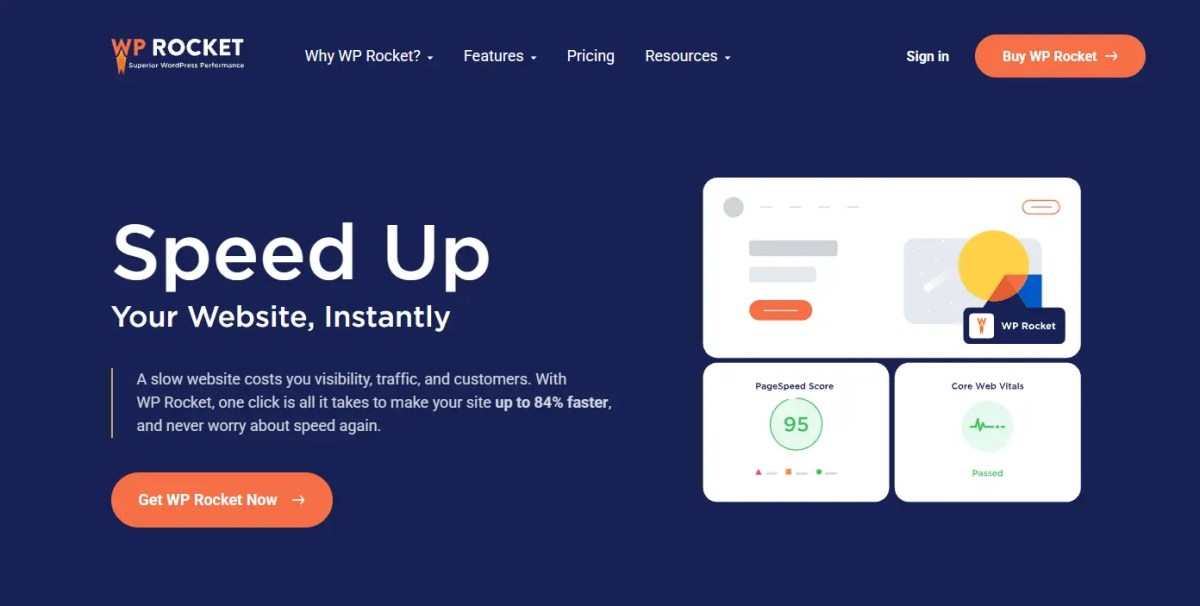
If you want your website to load lightning-fast without technical complexity, WP Rocket is widely regarded as the best WordPress cache plugin for beginners and marketing teams.
The moment you activate WP Rocket, it automatically turns on high-impact optimizations: page caching, browser caching, Gzip compression and sitemap-based cache preloading. You do not need a computer science degree to get incredible performance scores.
Where WP Rocket truly shines is its automated asset cleanup. It’s truly the gold standard for website caching.
Its Remove Unused CSS feature scans your stylesheets, strips out bloat and serves only the exact styles needed for each specific page. Paired with its Delay JavaScript Execution toggle, WP Rocket routinely transforms red PageSpeed scores into clean 90+ green grades within minutes.
Key Performance Features
- Turns on 80% of essential web performance best practices automatically upon activation.
- Remove Unused CSS trims unused stylesheet bloat to speed up mobile rendering.
- Delay JavaScript Execution holds non-critical tracking scripts until visitors click or scroll.
- Automatic Cache Preloading crawls your XML sitemap to ensure visitors always hit warm cache pages.
- Seamlessly connects with RocketCDN and Cloudflare to distribute assets across global edge servers.
Pros
- Incredibly easy to set up with friendly, intuitive controls.
- Delivers near-perfect Core Web Vitals scores without breaking page layouts.
- Top-notch customer support team and regular compatibility updates.
Cons
- Does not offer a free version on WordPress.org.
- Single-site pricing is a recurring annual subscription.
Pricing
- Single License: $59 per year for 1 website with full features and updates.
- Plus License: $119 per year for 3 websites.
- Infinite License: $299 per year for unlimited websites (popular among digital agencies).
2. LiteSpeed Cache (LSCache): The Unbeatable Free Powerhouse for LiteSpeed Servers

If your web hosting runs on a LiteSpeed or OpenLiteSpeed server (like Hostinger, NameHero, A2 Hosting or CyberPanel VPS), look no further. LiteSpeed Cache is hands-down the fastest free caching solution on the market.
Unlike standard plugins that execute PHP to serve cached pages, LiteSpeed Cache communicates directly with your server’s underlying kernel through mod_litespeed. It serves pre-rendered HTML straight from server memory without touching PHP or database processes, delivering the lowest Time to First Byte (TTFB) you will ever see.
LSCache also bundles powerful optimization features through its free QUIC.cloud service, including automated WebP image conversion, critical CSS generation, database table cleanup and global edge micro-caching.
Key Performance Features
- Server-level page caching bypasses PHP overhead to deliver sub-100ms response times.
- Native QUIC.cloud integration provides global edge HTML caching and automated WebP conversion.
- Built-in Object Cache manager connects effortlessly to Redis and Memcached.
- Comprehensive database optimizer cleans up spam comments, post revisions and expired transients.
- Granular ESI (Edge Side Includes) support lets you cache public pages while keeping private user widgets dynamic.
Pros
- Completely 100% free with enterprise-grade features.
- Unbeatable server-level speed on LiteSpeed hosting environments.
- Deep support for dynamic WooCommerce stores and custom cookie caches.
Cons
- Its server-level caching features only work on LiteSpeed web servers (standard PHP caching on Apache/Nginx is mediocre).
- The settings dashboard is packed with dozens of complex tabs that can intimidate beginners.
Pricing
- 100% Free: Open-source plugin with generous free monthly credits for QUIC.cloud online services.
3. FlyingPress: The Speed Geek’s Weapon for Perfect Core Web Vitals

Built from the ground up by performance obsessed developers, FlyingPress is an ultra-modern optimization suite designed specifically to conquer Google Core Web Vitals and the tricky Interaction to Next Paint (INP) metric.
While older plugins rely on basic file minification, FlyingPress takes a modern approach called “lazy rendering.” It delays below-the-fold HTML elements, optimizes font display, self-hosts Google Fonts and selectively loads JavaScript only when visitors interact with the page.
FlyingPress also offers its own global edge network, FlyingCDN (powered by Cloudflare Enterprise), which serves full static HTML pages and media assets from over 300 edge locations worldwide with zero origin server latency.
Key Performance Features
- Smart JavaScript execution delay resolves main-thread blocking and fixes poor INP scores.
- Automatic Critical CSS generation and unused CSS removal for every unique template.
- Lazy rendering delays below-the-fold HTML blocks until visitors scroll down the screen.
- Self-hosts and combines Google Fonts locally to eliminate external DNS lookups.
- FlyingCDN integration serves full HTML pages from Cloudflare Enterprise edge nodes.
Pros
- Consistently produces some of the highest real-world Core Web Vitals scores in the industry.
- Extremely clean, lightweight codebase without bloated database tables.
- Excellent handling of complex page builders like Elementor and Divi.
Cons
- Premium-only plugin with no free tier on WordPress.org.
- Advanced features require careful testing to prevent visual glitches on custom scripts.
Pricing
- Personal: $60 per year for 1 website.
- Developer: $150 per year for 5 websites.
- Agency: $250 per year for up to 50 websites.
4. W3 Total Cache: The Cockpit for Control Freak Developers

W3 Total Cache (W3TC) is one of the most mature, battle-tested caching plugins in the entire WordPress ecosystem. Trusted by high-traffic enterprise websites for over a decade, W3TC offers granular control over every single moving part of your caching architecture.
W3TC divides caching into dedicated modular layers: Page Cache, Browser Cache, Database Cache, Object Cache, Fragment Cache and Opcode Cache. If your server runs a custom stack with Nginx, Varnish and Redis clusters, W3TC gives you the exact levers and hooks to fine-tune your configuration.
However, with great power comes great complexity. W3 Total Cache features hundreds of toggle switches, making it best suited for developers and technical administrators who know their server environment inside and out.
Key Performance Features
- Modular architecture supports Page, Browser, Database, Object and Fragment caching.
- Full compatibility with reverse proxy caching layers like Varnish and Nginx FastCGI.
- Direct integration with Amazon CloudFront, Cloudflare, MaxCDN and generic S3 storage.
- Comprehensive extension framework for Genesis, AMP and WPML multi-language sites.
- Advanced database query caching stores repetitive SQL queries in Redis or Memcached.
Pros
- Huge array of customizable server settings for advanced developers.
- Completely free core version available on WordPress.org.
- Excellent stability on complex dedicated server infrastructure.
Cons
- Overwhelming settings interface that can easily break sites if configured incorrectly.
- Lacks modern automated features like 1-click unused CSS removal.
Pricing
- Free Version: Highly capable free plugin with multi-layer caching support.
- W3TC Pro: $99 per year per website for fragment caching, extension support and full CDN caching.
5. WP Super Cache: The Rock-Solid Classic by Automattic

When you want pure, dependable simplicity without any bells and whistles, WP Super Cache is the classic choice. Maintained directly by Automattic (the company behind WordPress.com and WooCommerce), this free plugin generates static HTML files and serves them to over 99% of your visitors.
WP Super Cache offers three caching modes:
- Expert (mod_rewrite): Bypasses PHP completely by letting your Apache server serve static files directly.
- Simple: Serves static HTML files using a lightweight PHP script (recommended for most users).
- WP-Cache Caching: Caches dynamic pages for logged-in users and custom feeds.
It does not include shiny modern features like critical CSS generation or JavaScript delay, but for content blogs, news sites and small business pages, it provides rock-solid reliability with zero bloat.
Key Performance Features
- Generates static HTML files to bypass dynamic PHP processing.
- Expert
mod_rewritemode lets the Apache web server deliver static files at top speed. - Automated cache scheduler preloads pages and flushes stale cache on an adjustable timer.
- Basic CDN support rewrites asset URLs to point to your CDN hostname.
- Lightweight footprint that adds zero database bloat to your server.
Pros
- Developed and supported directly by the core WordPress team at Automattic.
- 100% free forever with zero upsells or paywalls.
- Rock-solid stability that rarely conflicts with other plugins.
Cons
- Lacks modern Core Web Vitals optimization features (no CSS/JS delay or unused CSS stripping).
- Basic interface that feels dated compared to modern tools.
Pricing
- 100% Free: Completely free and open-source.
6. WP Fastest Cache: The Friendly Checkbox Champion

WP Fastest Cache takes the prize for the most straightforward, beginner-friendly free interface. Instead of navigating confusing dropdown menus, you simply check a series of clear checkboxes to enable caching, minification and Gzip compression.
The plugin automatically modifies your .htaccess file to serve static HTML pages to desktop and mobile visitors. It also creates separate cache files for desktop and mobile devices, ensuring mobile visitors always receive lightweight, responsive layouts.
The free version handles basic page caching and HTML/CSS minification effortlessly. Upgrading to the Premium version unlocks image optimization, render-blocking JS deferral and database cleanup.
Key Performance Features
- Simple checkbox-based setup modifies your server
.htaccessfile automatically. - Generates separate cache files for mobile and desktop viewports.
- Combines and minifies HTML and CSS files to reduce total HTTP request counts.
- Cache timeout rules let you automatically purge specific pages or categories when publishing new posts.
- Built-in Cloudflare and CDN integration simplifies edge delivery.
Pros
- Super easy checkbox interface that takes under two minutes to configure.
- Offers a one-time lifetime license instead of recurring annual subscriptions.
- Fast, lightweight static file generation with minimal server load.
Cons
- The free version lacks advanced image optimization and script delay.
- Advanced features are locked behind the Premium upgrade.
Pricing
- Free Version: Solid basic caching available on WordPress.org.
- Premium License: $49.99 one-time payment for 1 site (lifetime updates).
7. Object Cache Pro: The Rocket Fuel for Dynamic WooCommerce Stores
Standard page caching works wonders for static blog posts, but what happens when visitors log into your website, add items to their shopping cart or take an online quiz?
Dynamic pages like /cart/, /checkout/ and /my-account/ cannot be served from static HTML cache because every user needs unique, real-time data. That is where Object Cache Pro becomes an essential investment.
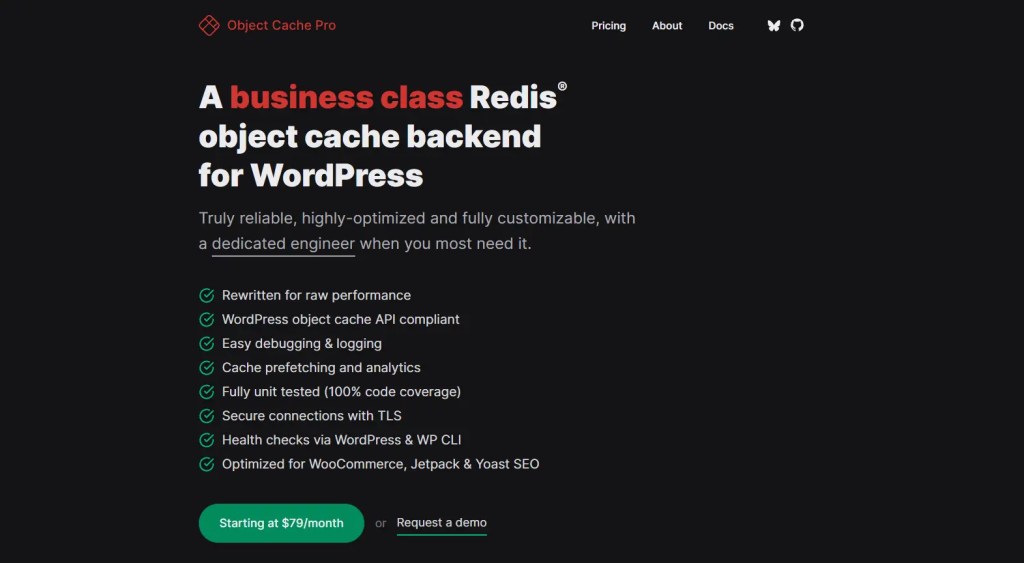
Object Cache Pro connects your WordPress site to a high-speed Redis database running in your server’s RAM. Instead of forcing MySQL to recalculate complex database queries on every click, Redis delivers saved query results instantly from memory.
For large WooCommerce stores, BuddyBoss communities and LearnDash platforms, it cuts database query execution time by up to 80%.
Key Performance Features
- High-throughput Redis caching engine engineered specifically for mission-critical WooCommerce stores.
- Eliminates repetitive database queries for logged-in users and dynamic shopping cart sessions.
- Raw RAM-based retrieval delivers microsecond query response times.
- Advanced cache prefetching loads anticipated query objects into memory proactively.
- Diagnostic analytics dashboard visualizes cache hit ratios, query latency and memory usage inside WordPress.
Pros
- Transforms sluggish, database-heavy WooCommerce sites into snappy, responsive stores.
- Solves high server CPU spikes caused by
admin-ajax.phpand dynamic checkout queries. - Enterprise-grade stability backed by dedicated Redis performance engineers.
Cons
- Premium enterprise pricing puts it out of reach for small hobby blogs.
- Requires a server environment with an active Redis instance installed.
Pricing
- Business License: Starts at $95 per month (included for free on select premium managed hosts like Cloudways, Kinsta and Pagely).
How to Choose the Right Cache Plugin for Your Hosting Stack
You should never pick a caching plugin based on marketing hype alone. The single most important factor is your web hosting server architecture.
Here is our quick matching guide to help you pick the best tool for your setup:
Scenario 1: You Host on a LiteSpeed or OpenLiteSpeed Server
- Your Best Pick: LiteSpeed Cache (LSCache)
- Why: If your host (like Hostinger, NameHero, A2 Hosting or CyberPanel) uses LiteSpeed Web Server, installing LSCache is a no-brainer. Its server-level kernel caching runs rings around standard PHP plugins, and it costs absolutely nothing.
Scenario 2: You Host on a Standard Apache or Nginx VPS
- Your Best Pick: WP Rocket or FlyingPress
- Why: On standard Linux droplets (DigitalOcean, Vultr, Linode, Hetzner) or standard cPanel hosting, WP Rocket and FlyingPress provide the best asset optimization, critical CSS generation and JavaScript delay to get maximum Core Web Vitals scores.
Scenario 3: You Host on a Managed WordPress Platform
- Your Best Pick: Asset Optimization Only (Avoid Double Caching)
- Why: Premium managed hosts (like Kinsta, WP Engine, Rocket.net and Cloudways) already handle page caching at the server or edge layer (using Varnish or Cloudflare Enterprise). In this case, use WP Rocket or FlyingPress with page caching turned off, using them exclusively for script delay, CSS cleanup and media optimization.
Scenario 4: You Run a High-Traffic Dynamic WooCommerce Store
- Your Best Pick: Page Caching + Redis Object Caching (Object Cache Pro)
- Why: Static caching speeds up your homepage and product pages, while Redis object caching speeds up the un-cacheable dynamic checkout, cart and customer account queries.
The 4 Essential Caching Layers You Must Know
To get truly incredible speed, you need to understand the four distinct caching layers working together:
Layer 1: Global Edge Micro-Caching & CDN
Edge caching saves static HTML copies of your pages across a global network of data centers (like Cloudflare APO, QUIC.cloud or FlyingCDN). When someone visits your site from London, Tokyo or New York, they download your page from a local server nearby rather than pinging your origin server halfway across the world.
Layer 2: Static Page Caching
This is the core engine of plugins like WP Rocket and LiteSpeed Cache. It takes dynamic WordPress pages and saves them as plain static HTML files on your web server disk, eliminating the need to compile PHP on every visit.
Layer 3: Browser Caching & HTTP Headers
Browser caching sends Cache-Control and Expires headers instructing your visitor’s web browser (Chrome, Safari, Edge) to save your logos, stylesheets and fonts locally on their device. When they navigate to a second page on your site, their browser loads those assets instantly from local storage.
Layer 4: Persistent Object Caching (Redis / Memcached)
Object caching stores repetitive MySQL database query results in super-fast server RAM. When WordPress needs to look up site options, user metadata or product prices, it grabs them instantly from RAM instead of querying the MySQL database disk.
4 Common Caching Mistakes That Will Break Your Website
Caching is powerful, but setting it up carelessly can cause headaches. Watch out for these four common traps:
Mistake 1: Caching Dynamic Cart and Checkout Pages
Never cache pages that display personalized user information. If you accidentally cache /cart/, /checkout/ or /my-account/, one customer might see another customer’s shipping address or shopping cart items. Always ensure dynamic pages are added to your plugin’s cache exclusion list (top plugins like WP Rocket and LSCache exclude WooCommerce pages automatically).
Mistake 2: Stacking Multiple Caching Plugins Together
More is not always better. Installing two full-page caching plugins at the same time (like running WP Super Cache alongside WP Rocket) creates severe race conditions, corrupted header files and blank white screens. Use one primary caching plugin for page generation.
Mistake 3: Combining Massive JavaScript Files Instead of Delaying Them
In the old days of HTTP/1.1, developers merged all CSS and JavaScript into a single gigantic file. On modern HTTP/2 and HTTP/3 networks, combining massive script files actually worsens your Interaction to Next Paint (INP) score because it forces the browser main thread to parse huge code chunks. Instead of combining files, turn on JavaScript Delay to load scripts only upon user interaction.
Mistake 4: Purging Your Entire Cache Every Few Minutes
Constantly clearing your site cache forces your server to rebuild pages from scratch, causing unnecessary CPU spikes. Only purge your cache when you update design stylesheets, add new plugins or make major site-wide layout changes.
Frequently Asked Questions (FAQ)
Here are straightforward answers to the 12 most common questions website owners and developers ask about WordPress caching:
Does a caching plugin replace the need for good web hosting?
No. A caching plugin optimizes how your server handles requests, but it cannot fix an under-powered web host with sluggish CPU cores or slow storage. For the best performance, always pair a quality cache plugin with fast cloud hosting (like Cloudways, Hostinger or a dedicated VPS).
What is the best WordPress cache plugin between WP Rocket and LiteSpeed Cache?
WP Rocket is a premium PHP-based caching and optimization plugin designed to deliver effortless Core Web Vitals scores across all hosting types (Apache, Nginx, LiteSpeed). LiteSpeed Cache is a free plugin built specifically for LiteSpeed web servers, utilizing server-level kernel caching to bypass PHP entirely.
How does delaying JavaScript help fix Interaction to Next Paint (INP)?
Google measures how quickly your webpage responds to user clicks and taps. When heavy tracking tags (like Facebook Pixel, Google Tag Manager or live chat widgets) load immediately, they lock up the browser main thread. Delaying those scripts until the user clicks or scrolls keeps the main thread idle and ensures instant click responses.
Do I need a caching plugin if my web host already has server caching?
Yes, but with one adjustment. If your host provides server caching (like Varnish or Cloudflare edge caching), leave your host’s page cache active and use a plugin like WP Rocket or FlyingPress purely for front-end optimizations: removing unused CSS, delaying scripts, hosting fonts locally and lazy-loading media.
Can a caching plugin break my contact forms or lead popups?
Aggressive JavaScript minification or premature script deferral can occasionally prevent interactive forms from submitting. If a contact form stops working after turning on caching, add that specific form script (e.g., wpforms.js or contact-form-7) to your plugin’s script exclusion list.
What is the difference between page caching and object caching?
Page caching saves complete, rendered HTML web pages to disk for non-logged-in visitors. Object caching saves raw database query results in server RAM (using Redis or Memcached) to accelerate dynamic queries for logged-in users, WooCommerce carts and admin dashboard tasks.
What is the best WordPress cache plugin that is 100% free in 2026?
If you are hosted on a LiteSpeed server, LiteSpeed Cache is the undisputed free winner. If you are hosted on a standard Apache or Nginx server, WP Super Cache (for pure stability) or WP Fastest Cache (for simple controls) are the best free alternatives.
How often should I clear or purge my WordPress cache?
You rarely need to clear your cache manually. Modern caching plugins automatically purge the cache for a specific post whenever you publish or edit it. Only clear your entire site cache after making major theme edits, updating core plugins or modifying custom CSS styles.
What is Cloudflare APO and do I still need a caching plugin with it?
Cloudflare Automatic Platform Optimization (APO) caches your dynamic WordPress HTML directly on Cloudflare’s global edge network for $5 per month. While APO handles global HTML delivery, you still benefit from an asset optimization plugin like WP Rocket or FlyingPress to generate critical CSS, remove unused styles and delay JavaScript locally.
Redis vs Memcached: Which object cache engine should I choose?
Redis is the superior choice for modern WordPress and WooCommerce sites. Unlike Memcached, which only handles simple key-value pairs, Redis supports advanced data structures, disk persistence and intelligent cache eviction, reducing database query times by up to 80%.
Does cache preloading spike server CPU on shared hosting?
If configured too aggressively, crawling every URL on a 5,000-page site can temporarily elevate CPU usage. High-end plugins like WP Rocket allow you to adjust sitemap preloading crawl rates or trigger preloading based on visitor hover actions (instant click prefetching) rather than crawling everything simultaneously.
How do I check if my WordPress cache is actually working?
Open your website in an Incognito browser window, right-click, select Inspect, navigate to the Network tab, click your main document URL and look at the Response Headers. You should see headers like x-cache: HIT, cf-cache-status: HIT or x-litespeed-cache: hit.
Conclusion: Choosing the Best WordPress Cache Plugin in 2026
Speed is no longer an optional luxury for WordPress websites: it is a foundational pillar of user experience, search visibility and revenue generation.
Selecting the best WordPress cache plugin for your server architecture is the fastest way to replace sluggish PHP compilation with instantaneous static delivery. When configured properly, the best WordPress cache plugin keeps visitors engaged, lowers bounce rates and elevates search rankings.
Summary: Which is the Best WordPress Cache Plugin for You?
- For Solo Bloggers & Content Creators on LiteSpeed: Install LiteSpeed Cache and connect free QUIC.cloud services for zero-cost, enterprise-grade speeds.
- For Business Sites on Apache or Nginx VPS: Choose WP Rocket for effortless 1-click Core Web Vitals optimization without technical headaches.
- For Speed Geeks Demanding 100/100 Mobile Scores: Pick FlyingPress to gain absolute mastery over script delays, critical CSS and Cloudflare Enterprise edge delivery.
- For High-Traffic WooCommerce Stores: Combine static page caching with Object Cache Pro to keep dynamic checkout funnels lightning fast.
The 5-Minute Weekly Cache & Speed Hygiene Routine
- Verify Cache Hit Status: Inspect response headers once per week to ensure your cache layer is serving HIT status.
- Review Mobile Core Web Vitals: Check Google Search Console’s Core Web Vitals report to ensure your mobile LCP remains under 2.5s and INP under 200ms.
- Audit Cache Preloading Rates: Verify that your XML sitemap remains clean and that preloading is not generating 404 errors.
- Purge Transients and Expired Data: Run your plugin’s database cleanup tool monthly to prune orphaned transients and post revisions.
Recommended Next Steps for Your Site Architecture
- Secure Your Cache Configuration: Read our WordPress Malware Protection Guide to protect your caching endpoints and crawler simulation features against unauthenticated zero-day exploits.
- Protect Sensitive Media Assets: Check out our WordPress File Protection Buyer’s Guide to ensure private client downloads and paid PDF assets are safely excluded from public browser caches.